All Activity
- Past hour
-
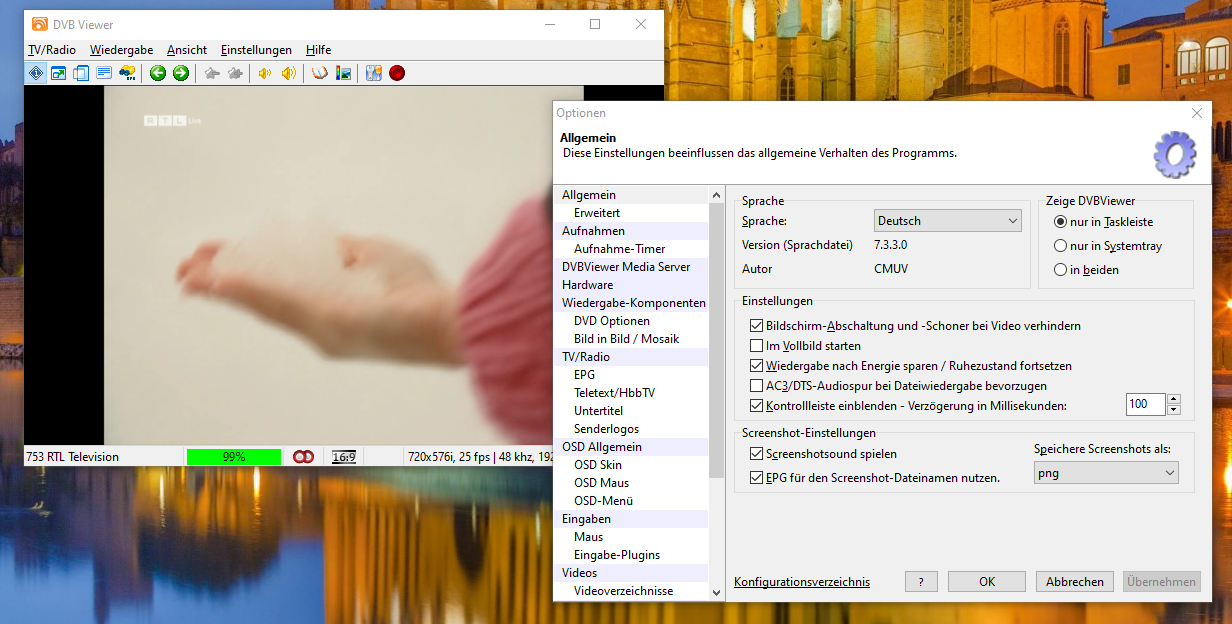
Hi, in früheren Installationen von Windows 11 habe ich mit WireGuard, keinen Stream bekommen, wenn ich von Außerhalb, auf meine Octopus und DVBViewer streamen wollte. Soweit ich mich recht entsinne, hatte auch @Griga wohl gemeint, dass das DVBViewer - Programm nicht dafür ausgelegt ist, über VPN, DVBViewer zu benutzen. (Es sei denn Mit dem MediaServer.) Ich hatte einen BIOS-Flash meines Laptops bekommen und mit der von Acer, vorinstallierten Windows 11 26H2 Version kann ich mit DVBViewer und WireGuard, meine Octopus streamen. Warum jetzt auf einmal doch? support.zip
- Today
-

dvbwiewer hängt nach RTL Senderwechsel
Helmut Bardeli replied to Helmut Bardeli's topic in Fehlermeldungen DVBViewer Pro/GE
noch ein Versuch. ich habe mit RTL begonnen und dann ZDF ausgewählt. ZDF wird angezeigt, aber keine Feldstärke und kein Bild. Wiedergabe auf stopp gesetzt Nun zdf erneut ausgewählt. Anzeige und Wiedergabe ok. support.zip -

laufende Uhrzeit im Vollbildmodus einblenden
Webturtle replied to Klausing's topic in Vorschläge & Ideen
Hallo, @HaraldL: Vielen Dank für den Hinweis. Wer sich dafür interessiert kann es ja stattdessen mit der Wayback Machine versuchen: Wayback Machine. Dein Hinweis aufs Jahr 2003 dürfte dabei hilfreich sein, den "Flux Kompensator" der Zeitmaschine richtig zu programmieren. Viele Grüße Webturtle - Yesterday
-

Fehlermeldung bei der Installation auf LMDE7
Griga replied to MaDu's topic in Allgemeines DVBViewer Pro/GE
https://www.dvbviewer.tv/forum/topic/68619-dvbviewer-und-media-server-unter-linux/#findComment-511955 -
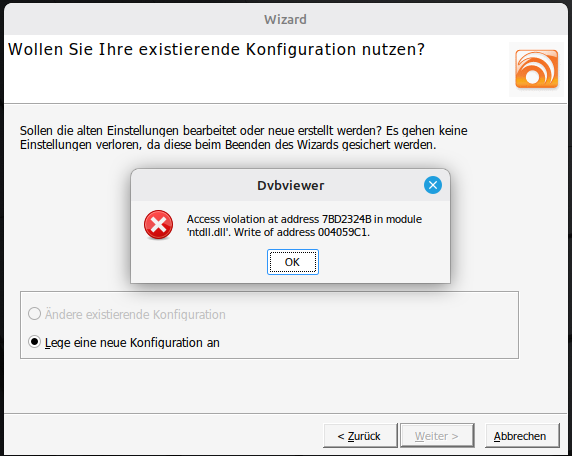
Ich habe folgende Fehlermeldung bei der Installation bzw. Konfiguration von DVBViewer auf LMDE7 / wine: Was könnte das Problem sein?
- Last week
-
Thank you but I don't understand.
-
DVBViewer playback time is approximate when playing .TS files
Griga replied to Carlos T.'s topic in Suggestions & Ideas
P.S. I just found out that it's quite easy to let DVBViewer display/report the correct time position, at least for .mpg and .ts files. I've already done this several years ago in the TSPlayer (see Download Area -> Tools). It only requires DVBViewer to find and remember the first Audio PTS (Presentation Time Stamp) or PCR (Program Clock Reference) in the file - this is done anyway for calculating the accurate file duration = last PTS - first PTS. All that is left to do during playback is querying the DVBViewer Filter, that monitors PTS and PCR values, repeatedly for the current PTS, yielding the current time position = current PTS - first PTS. There are some pitfalls that have to be considered, e.g. that time stamps may wrap around to zero or may be corrupted, but in general it works quite nicely. However, the hard part is to set the file position to an accurate time position, because that means searching a certain PTS in the file. In the TSPlayer you can see, that it displays the inaccurate time position while the position slider is dragged, but the display jumps to the accurate position as soon as you stop seeking. Ask the Google AI for "how can a certain time position be found efficiently in a TS file" and you will see. It requires quite some efforts and reading forth and back in the file, which is very slow, even when you are using a binary search. The LAV Source Filter is doing it this way (by using the FFmpeg binary search). The inaccurate, but simple algorithm used with the DVBViewer Filter is much faster. You can see it when dragging the control bar slider during playback. With the DVBViewer filter the displayed still video frames follow the slider position more or less immediately. With the LAV Source Filter it is quite sluggish. Everything has its pros and cons... -
DVBViewer playback time is approximate when playing .TS files
Griga replied to Carlos T.'s topic in Suggestions & Ideas
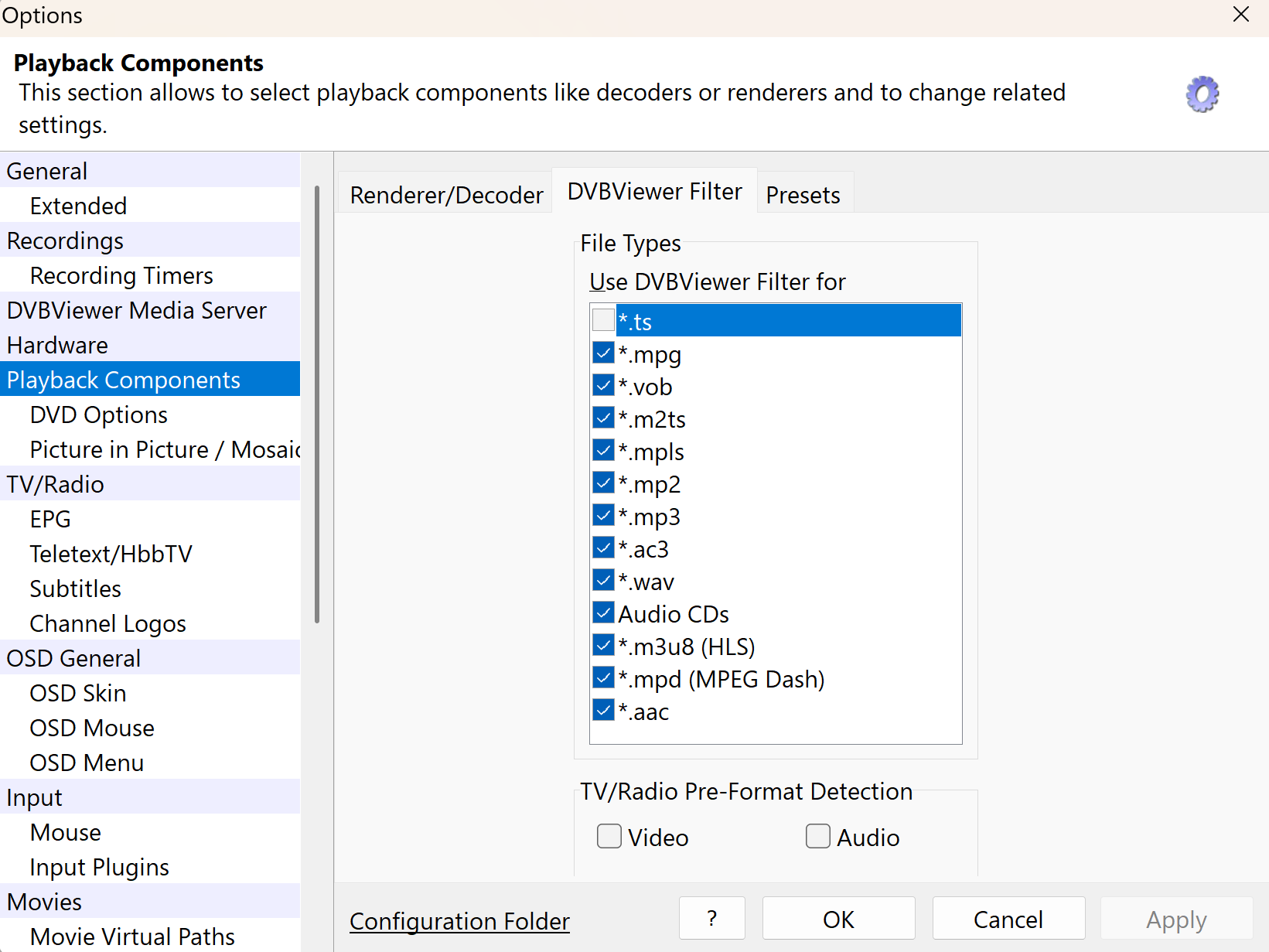
If the DVBViewer Filter is used, DVBViewer simply calculates an average data rate = file size / file duration and henceforth uses it for calculating the time position = file position / average rate, or file position = desired time position * average rate. The result is not accurate in case of a variable (video) data rate, of course. This particularly causes problems if there are external .srt subtitles that have to by synced with video/audio playback. Maybe there will be a better solution in future... That's the way to go. It lets DVBViewer use another Source Filter / Splitter for .ts file playback. Recommended: LAV Filters, so the LAV Source Filter can be used. Please note that this setting does not apply to live playback and ongoing recordings / timeshift, because third party DirectShow source filters are usually not able to handle growing files correctly. Additionally, they don't support detecting / reading EPG data or Teletext / TTML / WebVTT subtitles embedded in TS files. TTML subtitles are frequently used for MPEG Dash streams, WebVTT subtitles for HLS. -
4 Posts weiter oben
-

DVBViewer playback time is approximate when playing .TS files
Carlos T. replied to Carlos T.'s topic in Suggestions & Ideas
After reviewing all the options and with some help from chatgpt, I've found a way to track time accurately. You have to uncheck this option in .ts. Sorry for the inconvenience.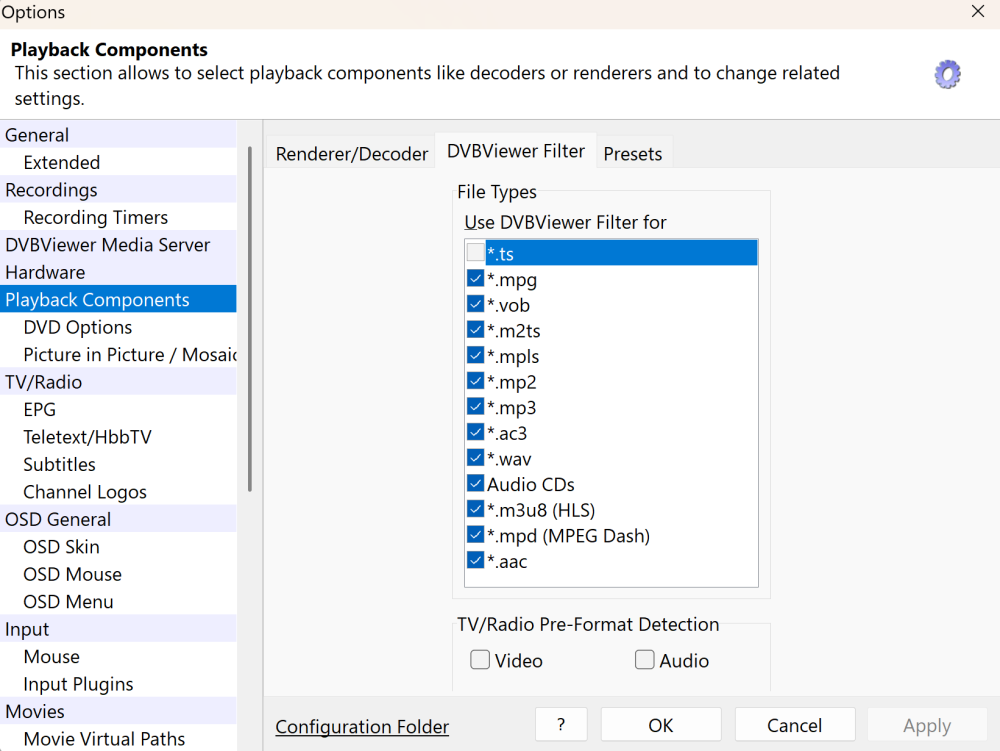
-
Können Sie mir das erklären wie? Danke!
-
DVBViewer playback time is approximate when playing .TS files
Carlos T. posted a topic in Suggestions & Ideas
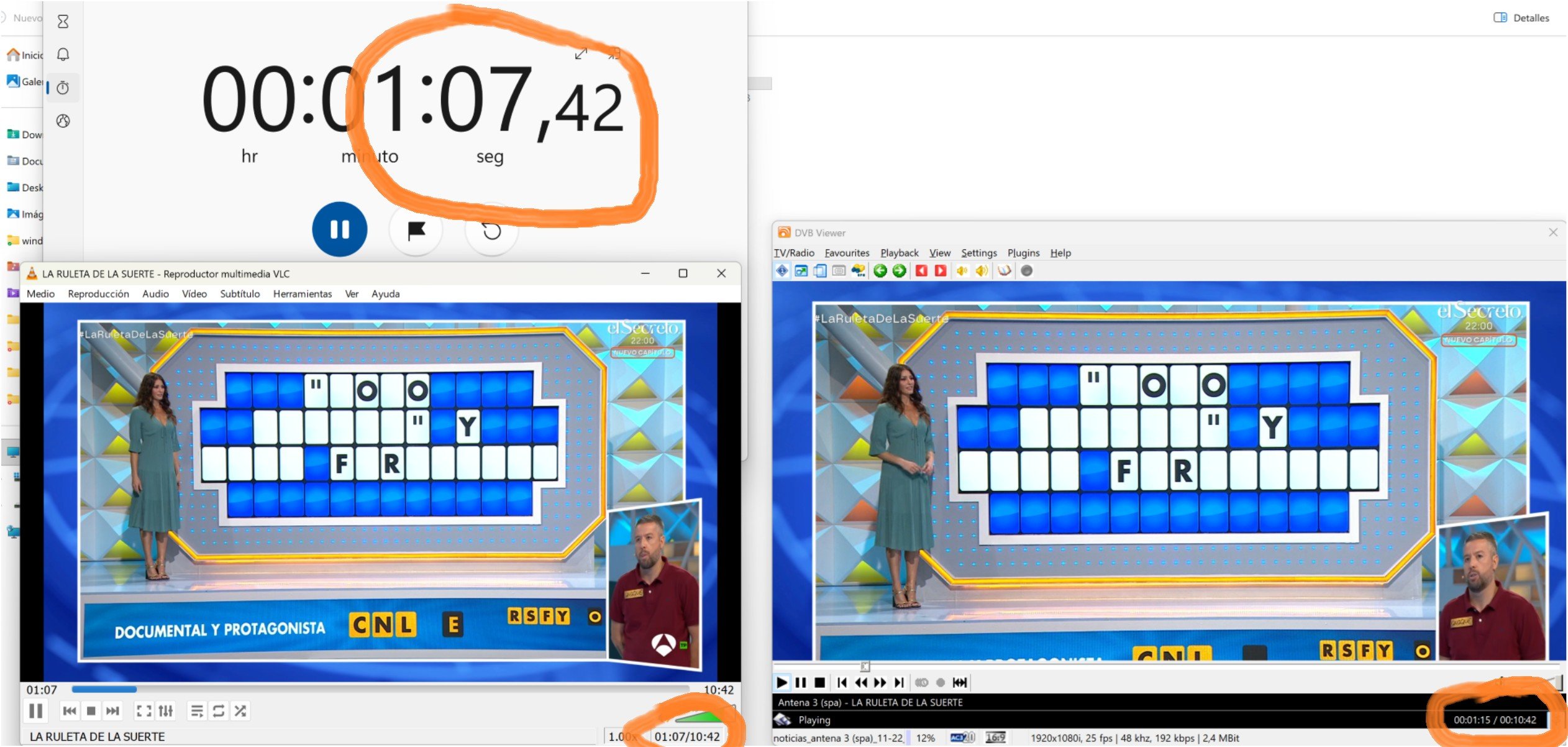
Unfortunately, the playback time reported by DVBViewer when playing .TS files, and therefore the value returned by the #currentplaytime property, does not appear to be exact but only approximate. From what I have read in the forum, this may be related to VBR recordings. It is a pity that the playback time is not fully accurate. I am currently developing a small VBS script that adds commercial-skipping functionality using EDL files generated by Comskip. The prototype is fully operational, but during testing I noticed that the skip points did not align correctly with the commercial breaks. At first, I thought the issue was caused by Comskip, but after validating the same EDL files with other applications such as VLC and Kodi, it seems that the discrepancy originates from DVBViewer. To verify this, you can simply start playing any recording and compare DVBViewer's playback time with the Windows Stopwatch. After a short period, a growing time offset becomes noticeable. This is unfortunate because, if the reported playback time is not accurate, reliable support for EDL-based commercial skipping will be very difficult to achieve. I hope this thread is not taken the wrong way. DVBViewer is a fantastic piece of software that I have been using for many years, and my intention with this post is simply to help improve it if possible.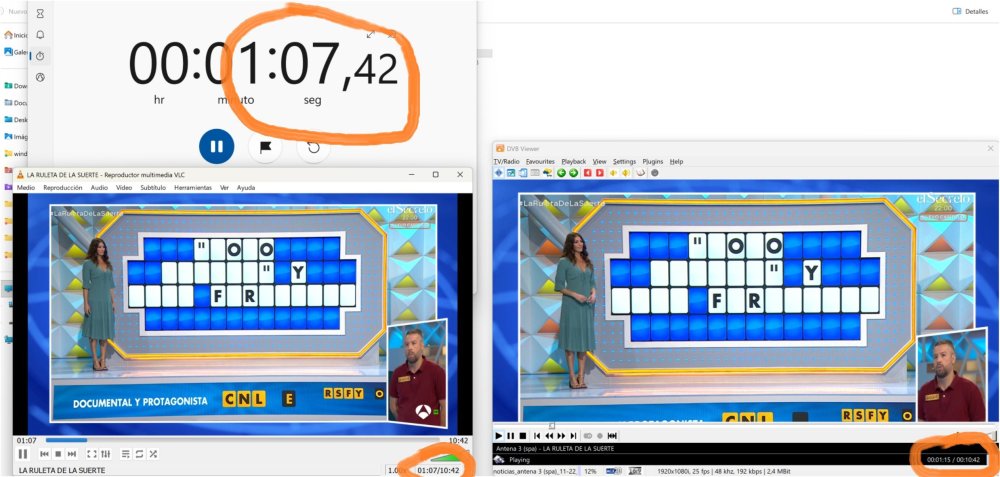
-
dvbwiewer hängt nach RTL Senderwechsel
Helmut Bardeli replied to Helmut Bardeli's topic in Fehlermeldungen DVBViewer Pro/GE
sorry war die falsche hardcopy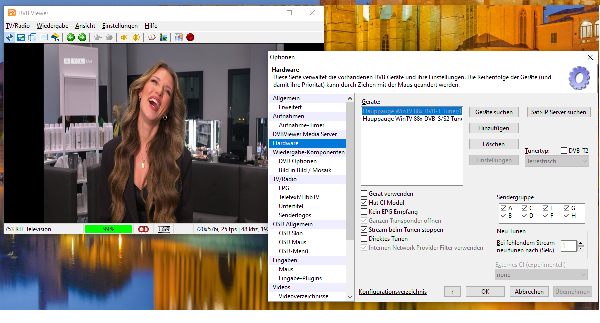
-
dvbwiewer hängt nach RTL Senderwechsel
Helmut Bardeli replied to Helmut Bardeli's topic in Fehlermeldungen DVBViewer Pro/GE
ich habe stream beim tunen stoppen , direktes tunen auf aus - neu tunen auf 2 sec eingestellt ich kann von hd auf sd ohne probleme umschalten von sd auf hd und hd uf hd wenn ich vorher wiedergabe auf stop gestellt habe es ist wohl ein problem mit dem hardware treiber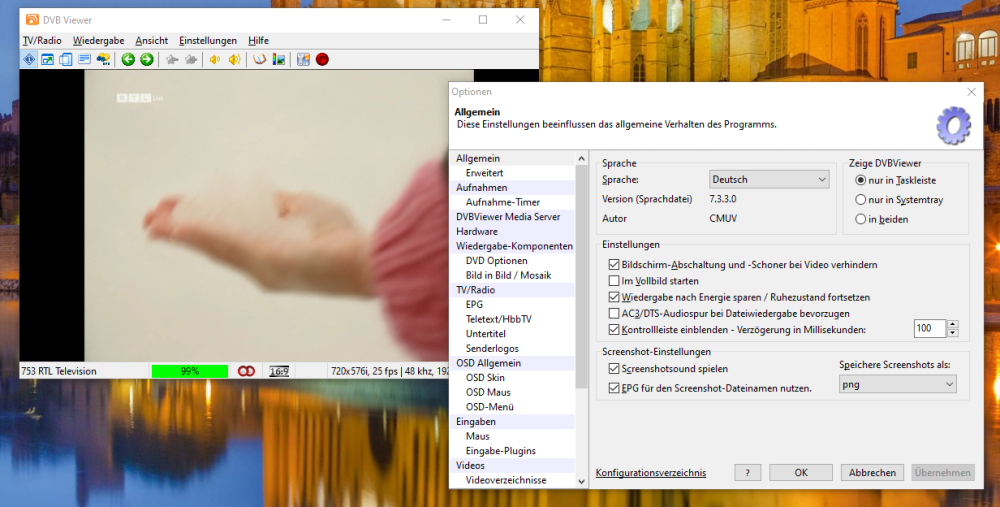
-
Position in Video anspringen
Carlos T. replied to JackMcRip's topic in Scripting Lounge / API (de/en)
You can try the solution available at this link: https://www.DVBViewer.tv/forum/topic/50150-seek-to-specific-position-using-com/#findComment-542006 -
Nein. Aber du kannst unter Windows als Ersatz auch das Mobil-Webinterface in einem Browser verwenden.
-
Hallo, gibt es eine solche App. (.exe) für Windows? Danke.
-
seek to specific position using com
Carlos T. replied to nars's topic in Scripting Lounge / API (de/en)
I found another method for jumping: dvb.BookmarksClear ultimoFichero dvb.BookmarkAdd ultimoFichero, segundos dvb.SendCommand 77 ' F8 WScript.Sleep 30 dvb.SendCommand 45 ' 5 WScript.Sleep 30 dvb.SendCommand 42 ' 2 WScript.Sleep 30 dvb.SendCommand 41 ' 1 first bookmark -
seek to specific position using com
Carlos T. replied to nars's topic in Scripting Lounge / API (de/en)
Hi, I managed to get it working this way: tiempoRestante = round(segundosTotal) 'Calculate the jump time dvb.SetSetupValue "Jumptime", "0", tiempoRestante dvb.ApplyConfig dvb.SendCommand 103 WScript.Sleep 30 'Small delay between commands to avoid overloading the COM queue dvb.SetSetupValue "Jumptime", "0", "10" dvb.ApplyConfig The trick I use is to temporarily redefine the jump time, perform the jump, and then restore it to the default value of 10. This forces setup.xml to be written twice, but I haven't found a better solution. -
dvbwiewer hängt nach RTL Senderwechsel
Griga replied to Helmut Bardeli's topic in Fehlermeldungen DVBViewer Pro/GE
Wie kommst du auf VBA-Datei? Die spielen nur bei Microsoft Office eine Rolle. Im vorletzten DVBViewer.log sind die Zugriffsverletzungen tatsächlich verschwunden, in der letzten aber wieder da. Was immer auftaucht, sind Fehlermeldungen vom DVBViewer Filter, der sich über kaputte Zeitstempel beschwert. Die folgende Frage zum Zustand nach dem Umschalten auf einen SD-Sender ist noch unbeantwortet: Eine Möglichkeit ist noch, die Ansteuerung der HVR 4000 zu ändern. Dazu Optionen -> Hardware -> Direktes Tunen ausschalten -> Übernehmen. Ändert das etwas? -
dvbwiewer hängt nach RTL Senderwechsel
Helmut Bardeli replied to Helmut Bardeli's topic in Fehlermeldungen DVBViewer Pro/GE
es hat sich doch nichts geändert. Vielleicht fehlt eine VBA datei ? support.zip -

laufende Uhrzeit im Vollbildmodus einblenden
HaraldL replied to Klausing's topic in Vorschläge & Ideen
Deine Zeitmaschine ist kaputt. Du mußt zurück ins Jahr 2003 aus dem der Beitrag ist und wo es Geocities noch gab. Darauf hätte man aber auch selber kommen können ... -
laufende Uhrzeit im Vollbildmodus einblenden
Webturtle replied to Klausing's topic in Vorschläge & Ideen
Hallo, @Griga: Wenn ich auf Deinen Link klicke lande ich letztendlich auf Yahoo (https://de.yahoo.com/?p=us). Viele Grüße Webturtle -
dvbwiewer hängt nach RTL Senderwechsel
Helmut Bardeli replied to Helmut Bardeli's topic in Fehlermeldungen DVBViewer Pro/GE
Ich habe LAV Filter installiert. Zurück auf RTL klappt nicht. Ich sehe allerdings keine Fehler mehr. Was kann ich noch testen ? support.zip -

Frequency 12207v27500-HD+4K Satellite Arabsat 26° East.. Badr 8 It didn’t show up when I searched for it
الهاوي replied to الهاوي's topic in Newbies DVBViewer Pro/GE
The problem has been solved.... I downloaded the latest version of the random search program TransEdit4.3.5.0 https://res.cloudinary.com/dbahe7lxz/image/upload/v1795252729/idraaak/rzv30glqbjsrx4pzhidb.jpg