
All Activity
- Past hour
-

PC wird nach Beenden der Aufnahme nicht mehr in den Ruhezustand verstetzt
Griga replied to Günter Mattfeldt's topic in Einsteigerfragen DVBViewer Pro/GE
Ein Zusammnhang ist ausgeschlossen und taugt höchstens als Verschwörungstheorie. Ein PTS-Fehler (Presentation Time Stamp) weist nur auf einen unstimmigen Zeitstempel in den Video/Audiodaten hin. Die PTS dienen dazu, Video und Audio zu synchronisieren. Definitiv nicht. Funktioniert "Energie sparen" als abschließende Aktion bei Timer-Aufnahmen? Was das Einschalten des Ruhemodus (und auch von Energie sparen) nach einer Aufnahme durch den DVBViewer/Media Server verhindern kann, ist der sogenannte Abwesenheitsmodus von Windows. Hier wurde ein solcher Fall behandelt. Der Abwesenheitsmodus wird aktiv, wenn du während einer Aufnahme in Windows manuell "Energie sparen" anwählst. Könnte das in Frage kommen? -
Little problems with the DVBViewer scheduler
Griga replied to enricob's topic in General DVBViewer Pro/GE
This is intended. Please read the change log. As the name already states: A timehift recording is a recording. The only difference to a normal recording is a flag that allows DVBViewer to delete the file when it is no more needed. Please read the change log. You will have to live with it. Sorry, but there are more important things to do... - Today
-

Little problems with the DVBViewer scheduler
enricob replied to enricob's topic in General DVBViewer Pro/GE
Yes, no recording was started, but the current timeshift recording is listed together with recordings and displayed as recordings. As the current timeshift recording is not a recording, why is it listed together with recordings and displayed as recordings? Finally, the minor issue I reported is not that a recording starts, but that the timeshift recording is indistinguishable from a "real" recording, and this is an ambiguous and misleading display. 2 _____ I also asked about the other little issue of automatic channel changing even when timeshift is active. In some cases DVBViewer displays a message asking the user to confirm the channel change, while in other cases the channel change is automatic and I am not given the option to confirm or not. Do you know why this message asking the user to confirm the channel change sometimes appears and sometimes does not and the channel changes automatically? In case you need a a support.zip file, I've also reported some issue about this. Thank you. Enrico -

PC wird nach Beenden der Aufnahme nicht mehr in den Ruhezustand verstetzt
Günter Mattfeldt replied to Günter Mattfeldt's topic in Einsteigerfragen DVBViewer Pro/GE
Mir ist gerade noch eingefallen, dass das Problem zum ersten Mal auftrat, nachdem eine Aufnahme anscheinend fehlerhaft war. Diese Aufnahme war zwar beendet worden, der PC aber nicht in den Ruhezustand versetzt. Als ich die Datei mit einem Analyseprogramm überprüft habe, wurde ein PTS-Fehler in der Aufnahme angezeigt. Die Aufnahmen danach waren zwar wieder fehlerfrei, aber der PC wurde anschließend nicht mehr in den Ruhezustand versetzt. Könnte es sein, dass im Programm des Media Servers/DVBViewers beim Abschluss der fehlerhaften Aufnahme eine Einstellung in einer Datei im Programmordner gespeichert wurde, die nun den abschließenden Ruhezustand auch weiterhin verhindert, und falls dies der Fall sein könnte, in welcher Datei werden solche Einstellungen gespeichert undwie kann ich das rückgängig machen? -
PC wird nach Beenden der Aufnahme nicht mehr in den Ruhezustand verstetzt
Günter Mattfeldt replied to Günter Mattfeldt's topic in Einsteigerfragen DVBViewer Pro/GE
Ruhezustand ist verfügbar. Ich kann den PC ja auch über den Button Start->Herunterfahren->Ruhezustand in den Ruhezustand versetzen. Wie ich bereits beschrieben hatte, hat bis vor kurzem ja auch noch alles problemlos geklappt. Erst seit kurz vor dem Jahreswechsel wird der PC vom Media Server bzw. DVBViewer nach Abschluss der Aufnahmen plötzlich nicht mehr in den Ruhezustand versetzt. Die Einstellungen habe ich sowohl im Media Server als auch im DVBViewer mehrfach überprüft: Bei beiden ist als Standard-Aktion für den Aufnahme-Timer als "Abschließende Aktion" nach wie vor "Ruhemodus" eingestellt. Am PC habe ich auch keinerlei Änderungen vorgenommen. Warum der PC also - obwohl vorher alles funktionierte - plötzlich nach dem Aufnehmen nicht mehr in den Ruhezustand gefahren wird, ist mir ein absolutes Rätsel! -

PC Wakes But Recording Doesn't Happen
Shaun White replied to Shaun White's topic in DVBViewer Media Server
I can see two ClientConnect entires at that time but I can't work out what 03B61020 or 03B8A310 might be. I thought they might be part of the MAC address from other devices on the network but I can't see anything that matches. I don't know enough about what these "codes" are to match them up to a device to guess what the client might have been. -
PC wird nach Beenden der Aufnahme nicht mehr in den Ruhezustand verstetzt
Griga replied to Günter Mattfeldt's topic in Einsteigerfragen DVBViewer Pro/GE
Überprüfe, ob der Ruhezustand in deinem System überhaupt verfügbar ist: Windows-Taste + R drücken. cmd eingeben (-> OK) powercfg /a eingeben (-> Eingabetaste drücken) -
Fehlfunktionen nach Energiesparmodus (Win 10 pro)
Griga replied to ABerger's topic in Fehlermeldungen DVBViewer Pro/GE
Ich empfehle, das bei bereits vorhandener 7.3.1-Installation so nicht zu machen, sondern wegen der Signatur-Problematik wie hier beschrieben den DVBViewer Pro Downloader zu verwenden. Das ist noch einfacher. -
Little problems with the DVBViewer scheduler
Griga replied to enricob's topic in General DVBViewer Pro/GE
So actually no recording was started, but you only saw the current timeshift recording being listed in the Timer Recordings Window. Please read the change log entries explaining the substantial changes concerning timeshift in DVBViewer 7. This will help you to understand. - Yesterday
-

Fehlfunktionen nach Energiesparmodus (Win 10 pro)
ABerger replied to ABerger's topic in Fehlermeldungen DVBViewer Pro/GE
Der Satz gefällt mir, weil er so logisch klingt (trotz fehlendem Komma vor 'ist'), obwohl die Ironie wohl das Gegenteil meint... 😉 Andererseits, wenn sonst keine Nutzer das Problem berichten, würde mein Tester-Beitrag niemandem nützen als mir selber... Dass für einen Nutzer eine neue Hauptversion programmiert, kompiliert und veröffentlicht wird, kann ich aber nicht verlangen. Ein Grund mehr, die gefixte Testversion zu installieren, wenn der Windows-EVR nichts ändert. Ich melde dann hier zurück. Danke! 😉 -
Fehlfunktionen nach Energiesparmodus (Win 10 pro)
ABerger replied to ABerger's topic in Fehlermeldungen DVBViewer Pro/GE
Das klingt sehr wahrscheinlich... Werde also mal den Standard EVR testen und berichten, ob damit sowohl der Programm-Timer und das OSD nach Energiesparmodus normal funktionieren. Falls nicht, komme ich evtl auf die Beta-Testversionen zurück... 😉 Bis dahin nochmals vielen Dank! -
Little problems with the DVBViewer scheduler
enricob replied to enricob's topic in General DVBViewer Pro/GE
Update. I realised that when you open the DVBViewer Timer Recordings Window, as I said you can see the current channel being recorded, but this recording corresponds ‘only’ to the recording needed to activate the timeshift feature, so much so that the file is saved in the folder configured for timeshift instead of in the folder configured for recording files. As you can see: the first yellow line is timeshift, the second yellow line is a recording. So I suppose it's not a real error, but an ambiguous display that can be misleading because actual recordings and timeshift are highlighted identically yellow on the DVBViewer Timer Recordings Window. Is this normal, or should timeshift recordings not be shown on the DVBViewer Timer Recordings Window, or not in the same way as other recordings? Thank you.
-
PC wird nach Beenden der Aufnahme nicht mehr in den Ruhezustand verstetzt
Günter Mattfeldt posted a topic in Einsteigerfragen DVBViewer Pro/GE
Hallo, ich habe das Problem, dass der DVBViewer bei Aufnahmen über den Media Server nach Abschluss der Aufnahme den PC nicht mehr in den Ruhezustand versetzt. Der Media Server weckt den PC zwar korrekt zu der Zeit, die ich eingestellt habe, aus dem Ruhemodus, nimmt die programmierte Aufnahme auf und beendet sie auch wieder zur eingestellten Zeit, versetzt den PC anschließend aber nicht wieder in den Ruhemodus, obwohl ich dies sowohl im DVBViewer als auch im Media Server eingestellt habe. Jahrelang lief alles absolut problemlos: PC wurde aufgeweckt, Aufnahme startete, wurde nach Abschluss beendet und der PC fuhr wieder in den Ruhezustand. Was kann passiert sein, dass die Aufnahmen zwar noch immer korrekt gestartet und beendet werden, der PC anschließend aber nicht mehr in den Ruhezustand fährt? Was kann ich tun? Die neueste Version des DVBViewer PRO und des Media Servers habe ich bereits installiert. Dies brachte aber keine Änderung. -

Fehlfunktionen nach Energiesparmodus (Win 10 pro)
HaraldL replied to ABerger's topic in Fehlermeldungen DVBViewer Pro/GE
Falls der von Griga vorbereitete Fix im nächsten offizellen Release bei dir nicht wie gedacht funktionieren sollte könnte man sagen: Wäre da nur jemand gewesen der das VOR DEM RELEASE schon mal hätte testen können. Du wartest dann sicher gerne nochmal vielleicht ein Jahr bis die nächste offizielle Version erscheint? Dabei ist es so einfach, aus dem Mitgliederbereich recht weit unten in der "Beta Section" das DVBViewer-Setup Beta 7.3.1.12 laden und einfach über die aktuelle Version drüber installieren. Nicht anders als jede offizielle Version auch. Die behebt auch einige andere Probleme der letzten offiziellen Version. Und danach von Griga eine einzelne .EXE-Datei bekommen die man in den Programmordner kopiert und die vorhandene damit ersetzt. Die enthält den Fix zum Testen. Sobald die nächste offizielle Version mit dem Fix inklusive erscheint einfach wieder drüber installieren, mehr ist nicht zu tun. Du hilfst damit auch anderen Usern erst gar nicht in so einen Fehler zu laufen. Wenn jeder nur an sich selber denkt ist am Ende an alle gedacht 😉 -
Little problems with the DVBViewer scheduler
enricob replied to enricob's topic in General DVBViewer Pro/GE
1 _____ I followed the instructions, so I executed supporttool.exe in the DVBViewer installation folder (where DVBViewer.exe is), but the support tool does not create any support.zip file with the necessary information. I click on the supporttool.exe file and nothing happens. If, on the other hand, I try to move the entire supporttool.zip file to the DVBViewer folder, open the zip file and click on the supporttool.exe file that is still inside the zip file, then a message appears telling me to start the programme in the DVBViewer folder, then this empty window appears. If it helps, two different instances of DVBViewer have been installed. Everything has always worked fine, apart from these minor problems with the timer recordings. 2 _____ As for the other problem of automatic channel changing even when timeshift is active, more precisely, in some cases DVBViewer displays a message asking the user to confirm the channel change, while in other cases the channel change is automatic and I am not given the option to confirm or not. Next time I will pay more attention and perhaps I will be able to understand why the message sometimes appears and sometimes does not. Do you know why this message asking the user to confirm the channel change sometimes appears and sometimes does not, and the channel changes automatically? Thank you, thank you. Enrico
-
PC Wakes But Recording Doesn't Happen
Griga replied to Shaun White's topic in DVBViewer Media Server
Another interesting finding: In the working case the RTSP Server was stopped within a millisecond. There were no preceding connection attempts. In the non-working case it obviously took much longer, and there were preceding connection attemps (at 30.12.25 14:41:15), requesting no video/audio from the RTSP Server, but a description.xml containing information about the server capabilities. Some client(s) just checked what's on offer. Similarly entering sleep mode on 29.12.25 23:48:41 did not work properly after client connections to the RTSP server at 29.12.25 23:25:53. This means, the timer issue may depend on the RTSP server being used between the last server start and entering sleep mode. But by which client? Do you know which one it was? -
Mit dem TransEdit Analyzer und entsprechenden Fachkenntnissen. Du müsstest überprüfen, ob Pakete mit der EPG PID 18 eintreffen (EIT, Event Information Table). Zunächst müsstest du in TransEdit eine TS Stream Transponderliste anlegen (New List -> TS Stream), in dieser die Stream URL eintragen (-> Add), dann auswählen und auf Analyze klicken.
-
PC Wakes But Recording Doesn't Happen
Griga replied to Shaun White's topic in DVBViewer Media Server
Yes. There is a (still unexplained) discrepancy of almost 3 minutes between the intended wake up time set by the Media Server and the actual wake-up time. Anyway, I can now reproduce the timer execution issue by inserting a delay in the Media Server code executed after receiving the "sleep mode" PBT_APMSUSPEND message. However, a 3 seconds delay was not enough. Obviously my Windows 10 does not handle the time allotment as strictly as announced by Microsoft (see above) - may be different under Windows 11. But with a 10 seconds delay I get the same muddled execution sequence as reported in your log, and timers are not executed anymore. The main reason is an internal "Sleeping" flag in the Media Server. It is set after all things supposed to be done after PBT_APMSUSPEND are done, and reset after waking up (after having received a PBT_APMRESUMEAUTOMATIC or PBT_APMRESUMESUSPEND message). But in your case the last part of the sleep mode preparations is executed delayed after the "PC woken up" messages have been processed, causing the "Sleeping" flag to be set after it has been reset. This set flag prevents the periodical execution of a procedure that lets the recorder check if a timer is due to start. There we are... The (unwanted) delay happens in your PC for unknown reasons when the RTSP server is stopped/disconnected on PBT_APMSUSPEND, because the log does not report completion until PBT_APMRESUMEAUTOMATIC/PBT_APMRESUMESUSPEND have been processed. There a two questions arising from that: Why does this delay happen in your PC? Can it be avoided in some way? Difficult to tell, because it does not happen in the Media Server code, but in a network library used by the Media Server. Are there measures that can be taken so the the Media Server continues to work properly even if such long delays after receiving PBT_APMSUSPEND occur? If yes, which side effects and risks have to be considered? Requires further investigation... -
Fehlfunktionen nach Energiesparmodus (Win 10 pro)
Griga replied to ABerger's topic in Fehlermeldungen DVBViewer Pro/GE
Es ist immer günstig, wenn Anwender, die von einem bestimmten Problem betroffen sind, selbst testen, ob eine Maßnahme es tatsächlich vollständig behebt, weil sie das Setup haben, in dem das Problem aufgetreten ist, und dort die entsprechenden Abläufe stattfinden. Oft hängt es ja von bestimmten Bedingungen ab (die es bei mir nicht gibt), ob etwas passiert oder nicht. Wie auch immer: Es gibt eine Möglichkeit, das Problem zu vermeiden, und zwar durch Verwendung des EVR Enhanced Video Renderers statt des EVR Custom Video Renderers (siehe Optionen -> Wiedergabe-Komponenten -> Video -> Video Renderer), weil die Sache mit einer fehlenden Reinitialisierung des letzteren zusammenhängt. Du könntest probieren, ob das für dich OK ist. Der EVR Enhanced Video Renderers hat kleinere Nachteile, weil er als Windows-Standardkomponente nicht so auf den Bedarf des DVBViewer zugeschnitten ist wie der EVR Custom Video Renderer, aber womöglich spielt das in deinen Anwendungsszenarien gar keine Rolle. -
Little problems with the DVBViewer scheduler
Griga replied to enricob's topic in General DVBViewer Pro/GE
I see. It's just the DVBViewer Timer Recordings Windows. I suspected that you are still using the out-dated "DVB Task Scheduler" add-on for DVBViewer, that could potentially cause the described issues. I don't know. I can't reproduce it, and it's no known DVBViewer issue. The only potential reason I can see in the code of the window's OnShow event is that DVBViewer updates the current timer list by downloading it from the DVBViewer Media Server, provided it is installed, DVBViewer is configured as Media Server client and delegates timer handling to it. Please create and attach a support.zip, so I can see your whole configuration, including DVBViewer version etc. Please don't forget to reproduce the issue in DVBViewer debug mode before creating the support.zip. This saves further enquiries. You are right. DVBViewer performs a forced channel change, assuming that this is what you want after having prebooked a certain programme. It assumes that this has a higher priority, because you have planned it purposely. This would be possible. However, it's unknown what other users think about it. Applications that query on each and every opportunity if something initiated by the user should really be done can be quite annoying... anyway, I'll think about it. - Last week
-
Fehlfunktionen nach Energiesparmodus (Win 10 pro)
ABerger replied to ABerger's topic in Fehlermeldungen DVBViewer Pro/GE
Vielen Dank nochmal für das Angebot, aber so wichtig ist es ja nicht. Neues Installieren anderer Versionen ist mir zu umständlich, aber ein 'offizieller' Fix würde mich freuen, falls einer kommen sollte... 😉 Für frühere Windows-Versionen gab es von Microsoft das Tool 'Tweak UI', darin u. a. die Option 'X-Mouse'. Damit konnte man auch Hintergrundfenster (soweit sichtbar) scrollen und Funktionen darin 'durchklicken', ohne das aktuelle Vordergrundfenster zu verlassen. In Windows 10 ist das Feature m. W. fest enthalten, evtl. unter 'Erleichterte Bedienung'. -
Little problems with the DVBViewer scheduler
enricob replied to enricob's topic in General DVBViewer Pro/GE
I'm talking about the "timer recordings". This is the screenshot: I didn't post a screenshot just because I supposed I knew how to explain. And I supposed I knew just because "Timer recordings" has been translated as "pianificatore" in Italian, and just because "pianificatore" is usually translated as "scheduler".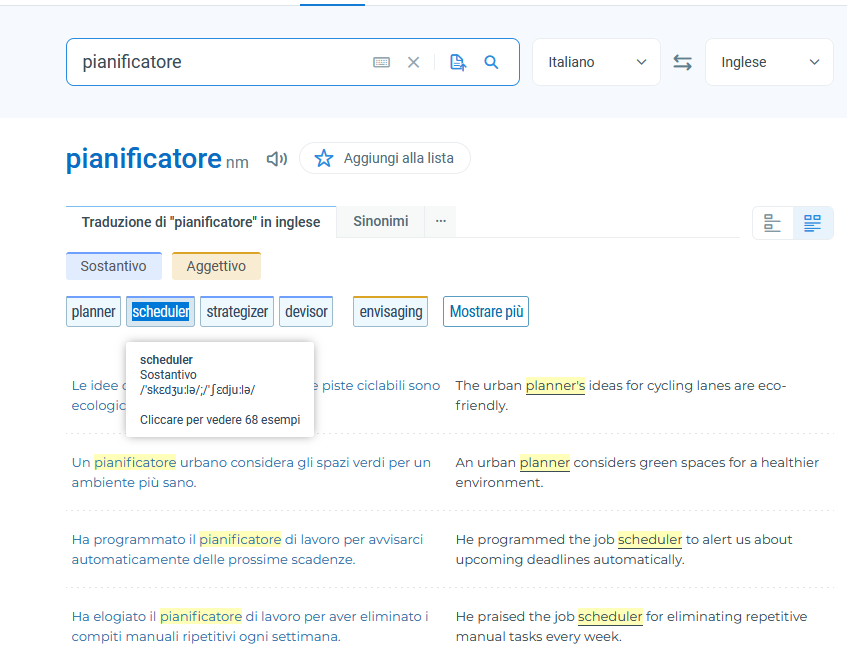

-
Fehlfunktionen nach Energiesparmodus (Win 10 pro)
Griga replied to ABerger's topic in Fehlermeldungen DVBViewer Pro/GE
Ich kann dir per PM eine DVBViewer.exe zur Verfügung stellen, in der das Problem behoben ist, aber sie beruht dann auf dem aktuellen Entwicklungsstand 7.3.1.12 und erfordert eine entsprechende Umgebung, d.h. sollte nicht in einer 7.3.1.0-Umgebung verwendet werden. Dass das fokussierte Element auf das Mausrad reagiert, ist ein allgemeines Windows-Verhalten, und müsste deshalb in Windows geändert werden. Ich glaube, es gab/gibt solche Add-Ons. Kenne ich nicht. -
Little problems with the DVBViewer scheduler
Griga replied to enricob's topic in General DVBViewer Pro/GE
What is the DVBViewer scheduler? Please post a screenshot if you don't know how to explain. -
Fehlfunktionen nach Energiesparmodus (Win 10 pro)
ABerger replied to ABerger's topic in Fehlermeldungen DVBViewer Pro/GE
Hallo, vielen Dank für die rasche Antwort (und sogar am Sonntag... ;-)! Zu Punkt 1.: Die Option 'Wiedergabe nach Energisparen / Ruhezustand fortsetzen' hatte ich mal probeweise aktiviert, aber damit wird nach Standby direkt der letzte Sender eingeschaltet. Das fand ich nicht sinnvoll, schaue lieber zuerst im EPG nach, was sonst so läuft... 😉 Deinen Vorschlag einer Test- bzw. Betaversion verstehe ich nicht... Wenn aber ein Fix für die nächste offizielle Version vorgesehen ist, kann ich auch so lange warten... 😉 Wie sieht es damit aus? Die Timer-Programmierung sollte auf jeden Fall funktionieren, auch nach dem Energiesparzustand... Zu Punkt 2.: Du hast Recht, ich meinte die 'Timeline'-Ansicht im EPG... Da sind natürlich auch Details zu lesen, je nach Text ganz oder teilweise. Zum Scrollen ggf. in das Feld zu klicken, ist auch kein Problem... Oder wäre es evtl. möglich, dass jeder Bereich unter dem Zeiger auf Mausrad-Scrollen reagiert, ohne ihn vorher anzuklicken? (Oder den sog. alten 'X Mouse Tweak' zu bemühen... 😉 ) Danke & Grüße, A. B.
