All Activity
- Past hour
-

Control the TV tuner programmatically via WM messages?
Griga replied to Paul Dick's topic in Questions about Plugins, AddOns & OSD-Skins
Sorry, missed that. Regarding your catalogue above: There are no messages that are related to a specific hardware. Only to the DVBViewer UI. Tuning can be performed by channel list index or channel ID, not by LCN or frequency. DVBViewer will allocate a matching hardware for playing the channel, but won't tell you which hardware is used (however, if there is only one tuner for a given reception type, you will know, of course). You can query which channel is currently played, but no availability information can be retrieved by messages. But by using a plugin (DLL) that exports certain functions you can get a tuner dataset containing reception parameters, IDs, PIDs etc when DVBViewer tunes a channel., request streams (PIDs) or the whole mux by using messages, receive the TS via callbacks and look it up yourself. Another possibility is using the DVBViewer COM interface and VBScript or a similar language. There are examples in the Scripts sub-directory of the DVBViewer program directory. Sorry, I don't have much time for it now. And explaining everything that is not possible or possible and giving examples for it will take a lot of time Anyway, I will check if there is some documentation available and post it here as soon as I find time for it. - Yesterday
-
Da war EVR Enhanced eingestellt EVR Custom funktioniert auch nicht Aber es funktioniert mit VMR 7 oder VMR9 sofern VMR Fix
-

Fehlermeldung nach Timeshift
andileibi replied to andileibi's topic in Fehlermeldungen DVBViewer Pro/GE
Danke das wars -
You are badly informed. What you want is supported since years.
- 1 reply
-
- 1
-

-
Schau mal im DVBViewer unter Einstellungen -> Optionen -> DVBViewer Media Server nach. Da ist der DVBViewer bei dir als Client eines Media Servers mit der Adresse 127.0.0.1:8082 konfiguriert. Der tatsächliche Port des Webservers ist aber 8089, nicht 8082. Entweder musst du in den Media Server-Optionen den Port des Webservers angleichen, oder im DVBViewer. Weiterhin würde ich empfehlen, DVBViewer und Media Server beide auf die aktuelle Beta-Version zu aktualisieren. Deine DVBViewer-Version ist 7.3.1.9 Beta, die Media Server-Version 3.3.1.0. Es ist immer besser, wenn die Versionen konform sind. Das wäre aktuell 7.3.1.12 und 3.3.1.12
-

Sauberer Shutdown als Problemlöser
Webturtle replied to Webturtle's topic in Allgemeines DVBViewer Pro/GE
Hallo, vielen Dank für den Tip! Ich habe es letztens schon einmal ausprobiert, damals war es allerdings nicht besonders aussagekräftig. Aber ich werden noch einmal Deinem Hinweis nachgehen. Viele Grüße Webturtle P.S. Mir ging es hauptsächlich darum, darauf hinzuweisen, daß der saubere Neustart anscheinend ein Problem mit den Treibern ausgeräumt hat. -

Control the TV tuner programmatically via WM messages?
Paul Dick replied to Paul Dick's topic in Questions about Plugins, AddOns & OSD-Skins
Can anybody answer my question above (December 21, 2025)? -
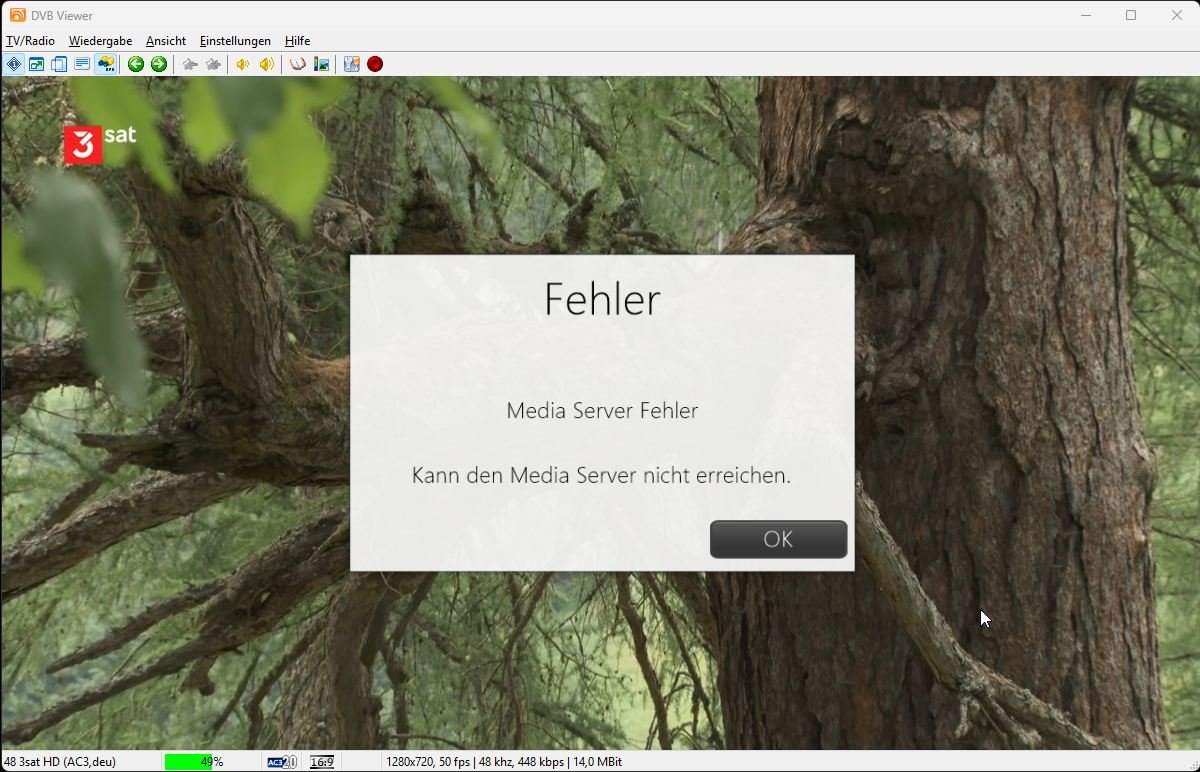
Hallo zusammen, den DVBViewer nutze ich schon wirklich lange und bin sehr zufrieden damit, wirklich gelungene Software.... Nur ein, wirklich kleines, Problem ärgert mich noch etwas.... Seit der Umstellung von Recording Service auf Media Service im Zuge der Neuinstallation auf einen neuen Rechner bekomme ich ca. 4-5sec. nach dem beenden von Timeshift die Fehlermeldung das der Media Server nicht erreichbar ist, obwohl sowohl Timeshift als auch Live-TV normal funktioniert. Die 4-5sec. Gedenkzeit hab ich auch beim Ein und ausschalten vom DVBViewer aber ohne Fehlermeldung, hatte ich zuvor auch nicht. Vielleicht gibt es ja eine Lösung dafür. support.zip
-
Can you change DVBViewer to support renderer by choice so we can choose MPC video renderer or madVR renderer also is it possible to change DVBViewer to support splitter by choice so to use LAV Splitter or another Sincerely Agini
-

DVB-C Senderlisten-Download über den Vodafone-Kabel-Helpdesk funktioniert nicht mehr richtig?
_Michael_ replied to _Michael_'s topic in Allgemeines DVBViewer Pro/GE
Vielen Dank Griga, dies habe ich gemacht: Mit dem DVBViewer Pro Downloader habe ich den DVBViewer Pro und den Media Server aktualisieren lassen. Statt der *.conf Datei habe ich die lamedb(.ldb) Datei vom Kabel-Helpdesk via exportieren für Enigma2 heruntergeladen und nun meinen Ablauf von oben durchgeführt aber bei 1.1 natürlich die lamedb verwendet. und nun es hat geklappt. (Mit Ausnahme von Kodi, da sind nun alle Radio-Aufzeichnungen verschwunden bzw. zum Teil in den TV-Aufzeichnungen gelandet). Schönes Wochenende! -
Was ist unter Einstellungen -> Optionen -> Wiedergabe-Komponenten -> Video -> Video A und Video B als Video Renderer eingestellt? EVR Custom Video Renderer ist der Standard und normalerweise für Windows 10 geeignet. Du könntest auch EVR Enhanced Video Renderer probieren. Andere Möglichkeiten sind schlechter.
-
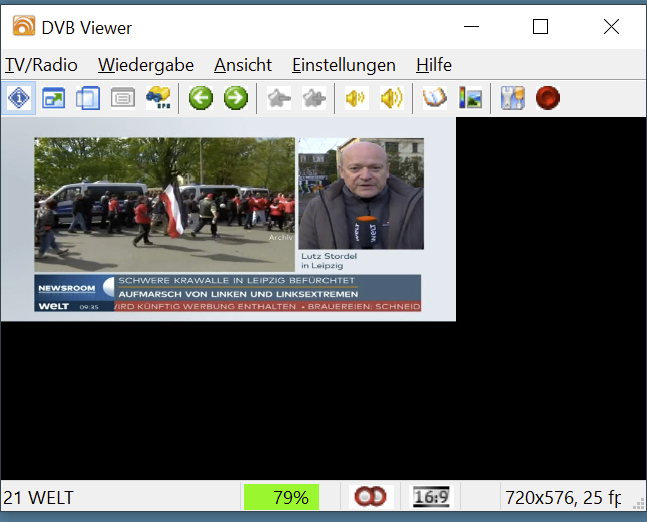
Hallo, ich habe WIN 10 und somit den DVBViewer neu installiert. Seitdem wird das Bild oben links verkleinert dargestellt. Nicht bei allen Sendern und nicht immer auf den betroffenen Sendern. Hab schon alles versucht in den Einstellungen. Wie bekomme ich das normal eingestellt?
-
Access Violation and missing LCN during "Scan All" with Terratec Cinergy T2
Griga replied to AndreaB's topic in DVB Hardware (Digital TV cards)
Should not happen. This already indicates that something is wrong. The Channel Numbering Selection window should only appear if there is something to select, or if it is opened manually (Right-click the Scanner Window...). However, the 690 MHz transponder only contains a single provider with 29 as Original Network ID = LCN ID, so there is nothing to select. I've found the reason for it. It is a side effect of this fix. In order to capture the network name in any case, TransEdit creates a dummy LCN data set with the name as soon as it appears, plus (in case of DVB-T) with the Original Network ID as LCN ID, and stores it. Since the Original Network ID appears later in the NIT, and maybe even in another NIT section, TransEdit has to use the Original Network ID that has been read before from the SDT. Unfortunately this Original Network ID is still 0 if the SDT arrives later than the NIT section containing the network name. This explaines, why the issue sometimes happens and sometimes doesn't. It depends on the order in which the SI tables arrive. There we are... difficult to handle. I have to think about it. I can provide a quick fix that will probably work in your case (see new test version in the PM), or with other words, as long as the NIT only consists of only one section, or the SDT arrives before the NIT section that contains the network name. But I can still imagine cases where it won't work. In this case "Unknown" will be displayed as network name. -
DVB-C Senderlisten-Download über den Vodafone-Kabel-Helpdesk funktioniert nicht mehr richtig?
Griga replied to _Michael_'s topic in Allgemeines DVBViewer Pro/GE
In München West ist wohl bei der letzten Umstellung die Kategorie ganz abgeschafft worden. Zu dem Problem mit der conf-Datei siehe hier. Der Senderlisten-Download im Enigma2-Format enthält jedoch die fehlenden privaten SD-Sender in einer Kategorie "Vodafone Free" (gerade probiert). Ein Import-Plugin für dieses Format ist im aktuellen DVBViewer Beta Release enthalten. Die heruntergeladene Datei lamedb wird genauso importiert wie conf-Dateien. - Last week
-

please help with SKYSTAR 2 eXpress HD
Sdya Bigos replied to Yasser Ibrahim's topic in DVB Hardware (Digital TV cards)
My problem is that this SkyStar 2 Express HD card doesn't work on Windows 10. -
DVB-C Senderlisten-Download über den Vodafone-Kabel-Helpdesk funktioniert nicht mehr richtig?
_Michael_ replied to _Michael_'s topic in Allgemeines DVBViewer Pro/GE
Danke waldi801, aber Deine *.ini kenne ich von diesem Thread. Sie ist nicht was ich gern haben will: Eine Datei in der alle Sender (TV und Radio) schon auf ihren Frequenzen hinterlegt sind. Es ist also kein Sendersuchlauf nötig, so ist mein Ablauf: 1.0 DVBViewer Pro starten und den Sendenderlisten-Editor über Menü TV/Radio öffnen. 1.1 Die *.conf Datei (so ist die eigentliche Dateiendung also nicht *.txt) links in den Sendenderlisten-Editor fallen lassen. 1.2 Dort ist dann die neue Liste als auch die alte, die alte nun per rechts-Klick löschen. Ein Sendersuchlauf ist nicht nötig, d.h. die geladene Datei enthält bereits alles nötige. (Test: Doppelklick auf einen Sender = wird wiedergegeben.) 2.0 Nun ganz unten rechts den 'Favoriten Stern' anklicken um den Favoriten-Editor zusätzlich zu öffnen. 2.1 Alle Sender mit "rotem Kreuz" entfernen und nun erneut Sender von links nach rechts hinzufügen. 3. Änderungen Speichern (im Favoriten-Editor und Sendenderlisten-Editor) und den Senderlisten-Editor schließen. 4. Den DVBViewer Pro beenden. 5. Kodi: Die Übernahme der DVBViewer Daten erfolgt meist erst nach einem System-Neustart, d.h. einfach immer machen! -

DVB-C Senderlisten-Download über den Vodafone-Kabel-Helpdesk funktioniert nicht mehr richtig?
waldi801 replied to _Michael_'s topic in Allgemeines DVBViewer Pro/GE
Ich komme auch aus Muc und hier ist meine selbst erstellte Senderliste und bei mir findet er alle Sender. Vielleicht hilft die dir ja. Die ist schon and die Umstellung angepasst. DVB-C_de_Kabel_Deutschland.ini -
Sauberer Shutdown als Problemlöser
_Michael_ replied to Webturtle's topic in Allgemeines DVBViewer Pro/GE
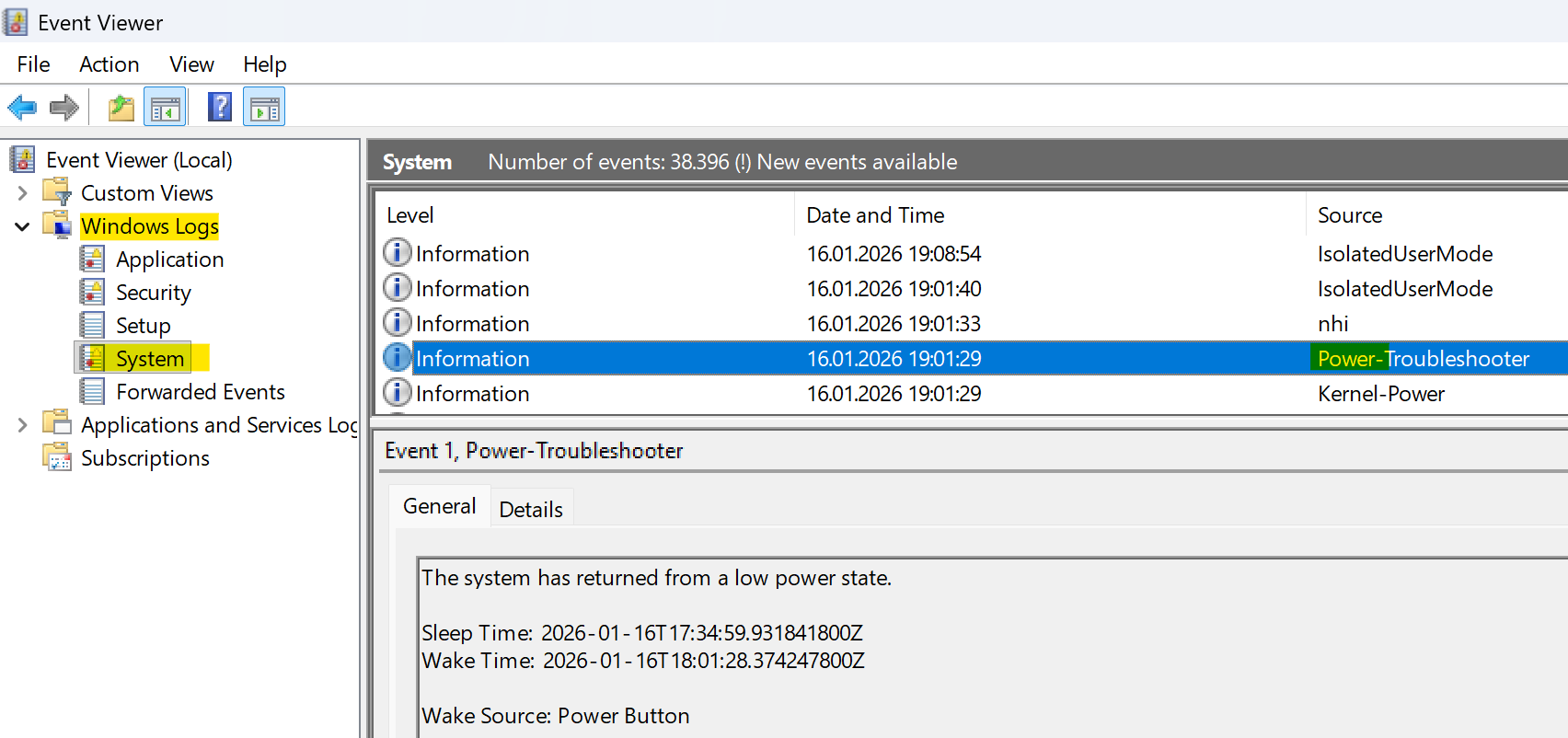
Zum "Rätsel knacken" gibt es unter Windows den 'Event Viewer' (die Ereignisanzeige). Alle kürzlichen Power-Ereignisse wären in Deinem Fall zu prüfen.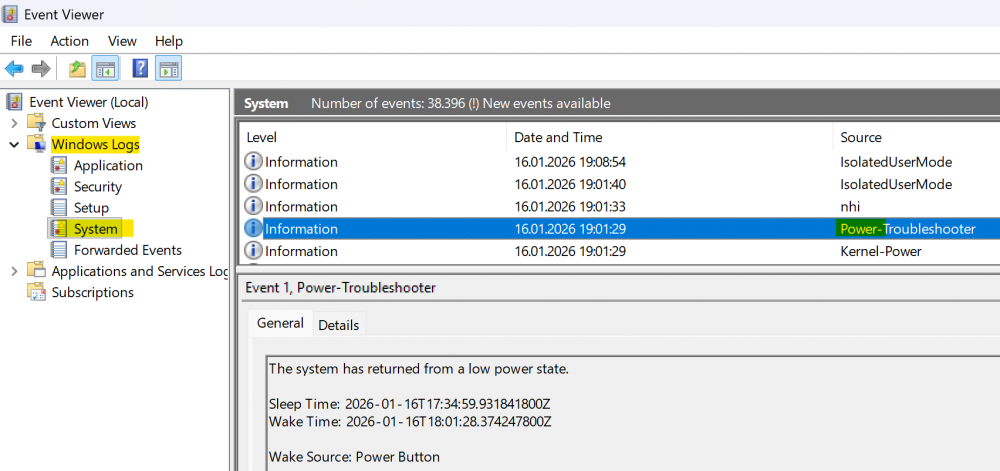
-
Hallo Griga, dank Dir kann man hier lesen wie ich bisher an meine DVB-C Senderliste gekommen bin, danke. Leider scheint das nicht mehr richtig zu funktionieren: In der angehängten Datei 'dvb-c_de_München-West_KDG.txt' gibt es keine TV-Sender der Kategorie "Digital Free" mehr, diese fehlen obwohl sie in der Web-Ansicht mit ausgewähltes Netz: München (West) Einstellungen: Welche Belegungen sollen angezeigt werden?: nur digital, alle Anzeige der SID, ... Digitalpakets?: Programmnummer, Sprache und Digitalpaket In welchem Zahlensystem sollen die PIDs sein?: dezimal Sollen Feeds, Datenkanäle und Tests angezeigt werden?: Ja da sind: https://helpdesk.vodafonekabelforum.de Ich habe keine Idee ob ich dieses mal etwas falsch gemacht habe (mehrfach, auch mit anderen Einstellungen:, versucht) oder das Ganze Leider nicht mehr funktioniert. Hast Du oder ein anderer Leser eine Idee / Vorschlag? Vielen Dank! dvb-c_de_München-West_KDG.txt
-

Access Violation and missing LCN during "Scan All" with Terratec Cinergy T2
AndreaB replied to AndreaB's topic in DVB Hardware (Digital TV cards)
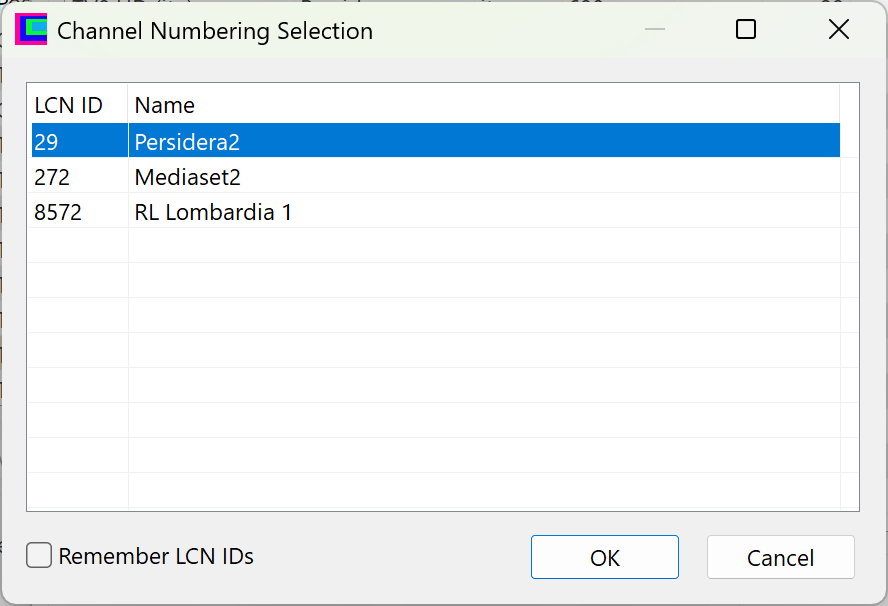
You can download the captured data stream here: https://www.swisstransfer.com/d/c34e8250-62e5-49c8-b86b-edf8d8f44aed (I requested more storage space specifically to attach images like the two below, as the system is notifying me that I have run out of available space). With the new version, the error no longer occurs, but: For the two problematic transponders (frequencies 674 and 690), once the individual scan finishes, a 'Channel Numbering Selection' window appears. In the list, only the Provider name is shown (29 is the ONID number). This consistently happens with frequency 690 and occasionally—mostly during the first scan—with frequency 674. After clicking OK, the LCN column is populated. If I run 'Scan All', the same window appears showing three Provider names; however, even after confirming with OK, the LCN column remains empty." Ciao, Andrea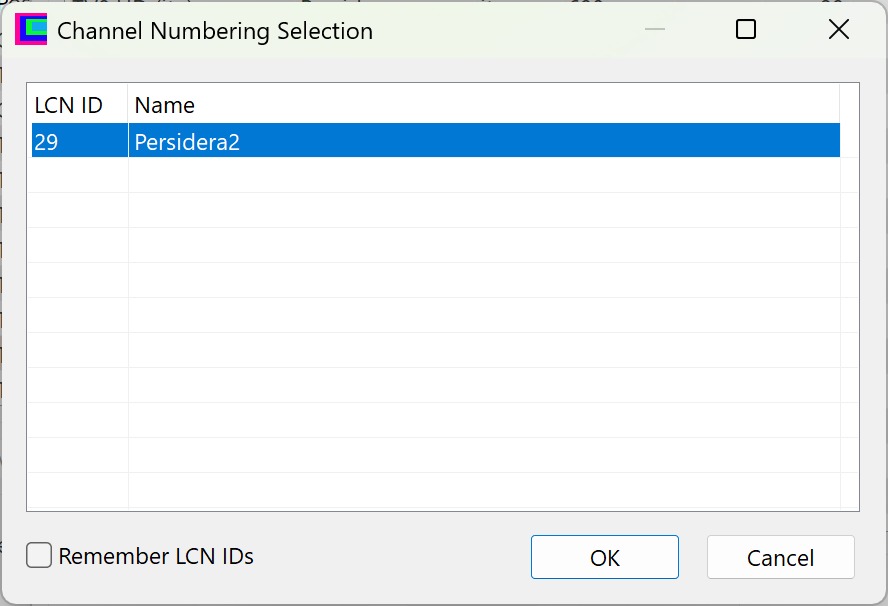
-
Access Violation and missing LCN during "Scan All" with Terratec Cinergy T2
Griga replied to AndreaB's topic in DVB Hardware (Digital TV cards)
I think I have found the cause. There is something happening that TransEdit does not take into account, because usually it should never happen. A value stored as LCN ID is 0. This lets TransEdit use an uninitialised object and read data from the memory address 00000008, causing an access violation, of course. Please verify it with the test version, that I have provided as attachment of a personal forum message (PM) for you. It avoids the access violation, but only cures the symptom. Additionally it has to be investigated, how the LCN ID can become 0. For this I would need a recording from a transponder that triggers the error. Please proceed as follows: Select the transponder and click Analyze. Wait a bit until the PID list at the right of the Analyzer window is complete. Right-click the PID list and click "Select Main SI PIDs". Click Start Record (see Settings -> Analyzer -> Output Directory where the recording gets stored). Stop the recording after approx. 1 minute. Do you have web space where you can upload the recording? If not, you can use WeTransfer and send me the download link as PM. -
Access Violation and missing LCN during "Scan All" with Terratec Cinergy T2
AndreaB replied to AndreaB's topic in DVB Hardware (Digital TV cards)
Hi Griga, I performed a single scan for all individual transponders, and the scan was successful for the first 9 with a usable signal. However, an error consistently occurs with the last two frequencies that have a signal: 674,000 kHz and 690,000 kHz. If I disable the option 'Scan NIT, BAT, and VCT...', the problem does not occur. I managed to resolve the issue for the 674,000 kHz frequency by increasing the 'PAT Timeout' to 6500. As for the 690,000 kHz frequency, I haven't found a PAT value or any other setting that prevents the error. I checked the Analyzer and all the indicated values (packet counts) are increasing. This suggests that the stream is being received, yet the LCN remains missing and the error persists during a standard scan. Ciao, Andrea PS: Is it possible to have a little more space for attachments? I have to keep deleting old images to post new ones, but the old ones might still be useful... TransEdit.ini
-

PC Wakes But Recording Doesn't Happen
Shaun White replied to Shaun White's topic in DVBViewer Media Server
Hi Griga, I did as you said and last night, the PC woke up on time and started recording on time so - so far so good. That was just one timer though. I will add some more timers over the next few days and report back on how it's gone and add the latest log for you to take a look at if that's ok. -
DVBViewer Download Retry Funktion bei Installation
Griga replied to Joshua2go's topic in Vorschläge & Ideen
Verstehe. Und du hast das so eingstellt, dass standardmäßig ausgehende Verbindungen blockiert werden bzw. eine Bestätigung brauchen, außer vielleicht bei bestimmten Programmen wie deinem Browser, die als Ausnahme deklariert sind. Aber da du weißt, dass das mit dem DVBViewer / Media Server Installer Probleme gibt, kannst du für diese auch Ausnahmen eintragen, richtig? -
Access Violation and missing LCN during "Scan All" with Terratec Cinergy T2
Griga replied to AndreaB's topic in DVB Hardware (Digital TV cards)
Rather looks like a TransEdit bug, not hardware or driver-related. Please attach your TransEdit.ini, so I can see your settings. In theory there should be no difference to scanning a single frequeny. Maybe due to a transponder close to the end of the list?