All Activity
- Today
-

PC schaltet nach programmierter Aufnahme nicht ab
kiba posted a topic in Fehlermeldungen DVBViewer Pro/GE
Hallo liebes Forum, folgendes Problem beobachte ich bereits seit langer Zeit und seit vielen SW-Versionen: Korrektes Verhalten: Mein PC ist im Energiespar-Modus. DVBViewer weckt den PC auf, nimmt die programmierte Aufnahme dann korrekt auf, und schaltet nach der Aufnahme wie geplant wieder in den Energiespar-Modus. Soweit ist alles bestens. Unter folgender Bedingung geht das aber schief: 1. Aufnahme beginnt und läuft. 2. Ich schalte während einer Aufnahme den PC ab (er sollte in den Energiesparzustand wechseln). Das tut er natürlich nicht, weil eine Aufnahme läuft; lediglich der Monitor geht aus. Bis hierhin ist alles korrekt und sinnvoll. 3. Der PC geht nun gar nicht mehr aus, auch nicht nach dem Ende der Aufnahme. Er bleibt solange an, bis ich ihn manuell abschalte, z. B. einen Tag später. Insbesondere wirken auch die Windows-internen Abschaltmechanismen ("Energiesparen nach 25 Minuten") nicht mehr. Danke. support.zip -

Control the TV tuner programmatically via WM messages?
Paul Dick replied to Paul Dick's topic in Questions about Plugins, AddOns & OSD-Skins
The Behold TV tuner has a way to control the tuner and receive data from it via WM messages (Windows Message). That is, the user can send commands (messages) to the tuner and receive data about their parameters from it in response. For example, We are sending a request to the tuner about which channel the tuner is currently working on. He sends us the channel number in response. We send a message to the tuner - a command to switch to channel No. 2. He switches to channel 2. We send a request message to the tuner asking if there is a carrier frequency at the input of the tuner (sync pulses in the video signal). In response, it sends the value 0 or 1 (True or False). Here are examples of how this is done in the language VisualBasic.Net. Imports System.Runtime.InteropServices 'For receiving messages via WM_ '====To work with the Behold TV tuner ================================= <DllImport("user32.dll", CharSet:=CharSet.Auto)> _ Public Shared Function FindWindow(<MarshalAs(UnmanagedType.LPTStr)> ByVal lpClassName As String, <MarshalAs(UnmanagedType.LPTStr)> ByVal lpWindowName As String) As IntPtr End Function <DllImport("user32.dll", CharSet:=CharSet.Auto)> _ Public Shared Function SendMessageA(ByVal hBhWnd As IntPtr, ByVal wMsg As Integer, ByVal wParam As Integer, ByVal lParam As UInteger) As Integer End Function <DllImport("User32.dll")> _ Public Shared Function PostMessage(ByVal hBhWnd As IntPtr, ByVal msg As Int32, ByVal wParam As Int32, ByVal lParam As Int32) As Integer End Function Const WIN_CLASS As String = "TMain" Const APP_NAME As String = "BeholdTV" 'or "BeholdTV.Inst2" 'While writing the main Instance Behold, because APP_NAME cannot be changed, it is a constant. Private hBhWnd As IntPtr = FindWindow(WIN_CLASS, APP_NAME) 'Then when uploading the form here, instead of APP_NAME, we will enter the Instance from the list. Const WM_USER As Integer = &H400 Const WM_BHCMD As Integer = WM_USER + 200 '====To work with the Behold TV tuner ================================= hBhWnd = FindWindow(WIN_CLASS, "BeholdTV") 'We are defining an instance of the Behold TV tuner. '==== Examples of WM messages to the Behold TV tuner ==================================== Dim WMBH_GETCHNLN As Integer = WM_USER + 287 'Get the channel number Dim ChnlNB As Integer = SendMessageA(hBhWnd, WM_BHCMD, WMBH_GETCHNLN, 0) 'Get the channel number Dim WMBH_CHNLN As Integer = WM_USER + 201 'Switch to channel with absolute sequence number 1....999 Dim CHNLN As Integer = SendMessageA(hBhWnd, WM_BHCMD, WMBH_CHNLN, Channal_N) 'Switch to channel no. Channal_N. Dim WMBH_CHNLUP2 As Integer = WM_USER + 203 'Switch to the next channel Dim NextChnnl2 As Integer = SendMessageA(hBhWnd, WM_BHCMD, WMBH_CHNLUP2, 0) 'Switch to the next channel Dim WMBH_GETPLOCK As Integer = WM_USER + 286 'Get the status of a video signal Dim Fn As Integer = SendMessageA(hBhWnd, WM_BHCMD, WMBH_GETPLOCK, 0) '==== Examples of WM messages to the Behold TV tuner ==================================== My question. If it is possible to control TV tuners via DVBViewer through such messages, please provide examples of how to do the following. 1. Set the TV tuner to the frequency of 618 MHz digital DVB-T2 broadcasting. 2. Switch the TV tuner to LCN channel 2 of the first multiplex of terrestrial television broadcasting. 3. Switch the TV tuner to the next channel. 4. Display the image of the TV channel on the DVBViewer screen itself. 5. Display the image of the TV channel on the Control "Panel1" of the project form. 6. Get information from the tuner or DVBViewer about the presence of the carrier frequency of the current TV channel at the input of the tuner. 7. Get information from the tuner or DVBViewer about the availability of the current TV channel stream. 8. Get information from the tuner or DVBViewer about the availability of an image of the current TV channel. 9. Get information from the tuner or DVBViewer about the sound availability of the current TV channel. It would be very nice if these examples were given in the language VisualBasic.Net . If you give examples in the language VisualBasic.Net there is no way, they can be given in the Delphi language. Thank you very much in advance! -

Control the TV tuner programmatically via WM messages?
Griga replied to Paul Dick's topic in Questions about Plugins, AddOns & OSD-Skins
Assuming WM Messages means Windows Messages that can be sent with SendMessage or PostMessage to DVBViewer: Yes, there are such messages that can be used to control DVBViewer and let it perform certain actions. But maybe not to the exent that you want/need. Specifically, there are no messages that deal with LCN. It would be easier to answer your question if you would explain in more detail what you want to do / acheive. - Yesterday
-
Einen geeigneten kostenlosen Compiler, welcher auch Windows x64 Code erzeugen kann zu bekommen, ist nicht das Problem, denn es gibt ja schon sehr lange gute Compiler von GNU. Das Problem besteht, wie Griga schon schrieb darin, daß die gesamten Sourcen zur Nutzung eines anderen und deutlich neueren Compilers angepasst werden müßten. Abgesehen davon, daß dies nur möglich wäre, wenn keine inzwischen unübliche Programmsprache, wie zum Beispiel Modula oder Pascal genutzt wurde, wäre die Anpassung an einen neueren Compiler eine Heidenarbeit.
-
PC Wakes But Recording Doesn't Happen
Griga replied to Shaun White's topic in DVBViewer Media Server
This is the best explanation I have ATM. Your timers were disabled for some reason. Automatically created timers ("auto-timers") as result of an EPG search may be disabled due to the options at the lower right on the Search EPG page. If your timers are "auto-timers", select the search preset that triggered the creation an check these options. On the Timers Page the enabled/disabled state of a timer is indicated by the round buttons at the left (green = enabled, grey = disabled) and can be changed by clicking them. -

PC Wakes But Recording Doesn't Happen
HaraldL replied to Shaun White's topic in DVBViewer Media Server
As it's not an older PC I assume the CMOS battery (usually a CR2032) is not at too low voltage, which could cause the mainboard clock, needed for wake up, to run slower or even stop while off or in standby (many don't notice this because as soon as the PC is started the system time is synced from internet and shows the current time then). Perhaps some energy saving features of the mainboard (BIOS) or Windows/Drivers could prevent the proper wake up? As my Win11 is in german perhaps the names are not translated exactly: Classic control panel (enter "control.." in start menu) -> System -> Energy plan -> Change energy plan -> Advanced settings -> Save energy -> Allow wake timers -> Must be Enabled! But I assume this is enabled as otherwise your PC won't wake up at all. -

PC Wakes But Recording Doesn't Happen
Shaun White replied to Shaun White's topic in DVBViewer Media Server
Thanks Griga, I really appreciate you taking a look for me. I noticed the odd wake times too. I always have my timers set to 10 minutes before the recording starts and to last 15 minutes after and the times I saw in the log looked right off. If a program's due to start at 21:00, I'd expect the PC to wake up around 20:49 but that's not happening is it. The external access attempts are my fault because yes, I have set up port-forwarding rules in my router. I wanted to be able to use the DVBViewer app on my phone to remotely add timers. To be fair, I hardly ever do that so I've removed the rules. Yes, It'll be me stopping the server and then restarting it again as it just gets "stuck" I checked the BBC website for that episode of Inside No. 9 and it helpfully tells me that this was last on at 22:00 on the 18th so taking my 10 minutes off this would make the Server's wake up time of 21:47 right but then why does the missed recording entry have a time of 22:45? Very odd. It's not something to do with GMT or British Summer time is it? I left the PC on for a recording last night and that worked. If it wasn't Christmas in a few days with lots of stuff on TV to record, I'd do a fresh install of Windows. I wasn't technical enough to see if there was something fixable but if it's a mystery, I think once all the Christmas TV is done, it'll be a reinstall and start again.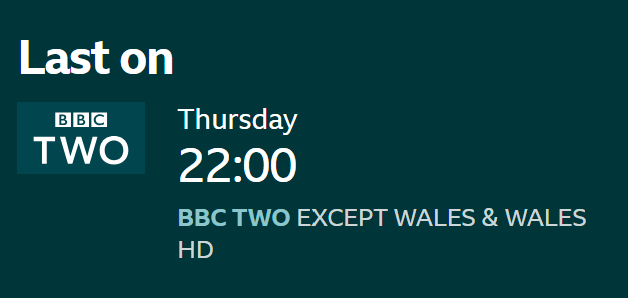
-
PC Wakes But Recording Doesn't Happen
Griga replied to Shaun White's topic in DVBViewer Media Server
I can see it in the svcdebug.log. Though the Media Server is running, there is not even an attempt to start the recording. Let's have a look at some events that happened lately: 17.12.25 18:43:14: The Media Server gets Windows a message that your PC is about to enter energy saving (sleep/standby) mode, so it sets up a wake time for the next recording at 18/12/2025 21:47:00 18.12.25 22:00:10: The PC wakes up, 13 minutes too late. Why? I can see no reason for it. Or does your PC need such a long time for getting up? (Some people do, but that's another thing). However, the Media Server still should start the recording, except if its duration is 13 minutes or less. But nothing happens at all. No more log entries until 19.12.25 03:15:11: There are three attempts to connect to the Web Server of your Media Server via the internet, two from China, one from the USA (I've entered the IP addresses in a "whois" service for finding out). The Media Server blocks these requests, because (luckily) it is configured for not allowing access from other networks but your home network. The blocking proves that your Media Server is still responsive. Nevertheless this is a bit weird, because usually the firewall in your router should already block such requests, but it doesn't, which means it it is configured to forward requests to port 8089 from outside to your Media Server. Did you induce that? Many connection attempts like that can be found in your log. The whole world seems to be interested in your Media Server. 19.12.25 06:30:39: The Media Server is stopped (manually by you, I guess). 19.12.25 06:31:20: The Media Server gets re-started, loads its timer list and finds a timer for a programme that is already completely in the past, which triggers the "Invalid timer" entry in the svcdebug.log. The missed recording is Inside No. 9: The Devil of... - ...Christmas. 1/6. Austria, Krampusnacht 1977. Who, 18/12/2025 22:45:00 Why does the Media Server set up a wake time at 18/12/2025 21:47:00 for it (almost 1 hour too early)? Why does the PC wake up too late (18.12.25 22:00:10)? However, this was still early enough for recording the programme, but why is the timer completely ignored by the Media Server? Unfortunately the log doesn't answer these questions. There are no errors whatsoever. The only possible reason I can think of for not executing a timer without any comment in the log is the timer being disabled. - Last week
-
DVBViewer + Cine S2: Zweiter Tuner (Astra 28.2°E) findet keine Sender – Transponderliste / Konfiguration?
Griga replied to jpsaf's topic in Einsteigerfragen DVBViewer Pro/GE
Dazu musst du Sendergruppen konfigurieren, mit denen du dem DVBViewer beibringst, welchen Tuner er für welche Sender benutzen kann. Normalerweise TV/Radio -> Empfangseinstellungen/Suchlauf -> unter den verfügbaren Empfangsarten den "generischen" Eintrag DVB-S wählen -> als Transponderliste Astra 28.2°E -> Senderliste laden. Wie aktuell die Senderliste ist, hängt dabei von der DVBViewer-Version ab - je aktueller, um so besser. Demnächst soll ein neues Beta-Release erscheinen. Ich hänge dir die Liste, die darin enthalten sein wird, hier mal vorab an (s.u.). Diese herunterladen, dann mit der Maus in den Senderlisten-Editor des DVBViewers ziehen. Setze danach alle Sender in dem Stammordner Astra 28.2°E auf Gruppe C durch Rechtsklick auf den Stammordner -> Sendergruppe einstellen -> Gruppe C. Dann weiter unter Einstellungen -> Optionen -> Hardware. Selektiere dort den Tuner, der Astra 28,2° Ost empfängt Entferne in dem Optionenfeld "Sendergruppe" alle Häkchen außer bei C. Entferne weiterhin bei allen Tunern, die nicht Astra 28,2° Ost empfangen können, den Haken bei C. Schließe mit OK oder Übernehmen ab. Danach sollte der DVBViewer wissen, für welche Sender er welchen Tuner benutzen kann. 0282_Astra 28.2°E (Free).ini -

DVBViewer + Cine S2: Zweiter Tuner (Astra 28.2°E) findet keine Sender – Transponderliste / Konfiguration?
jpsaf replied to jpsaf's topic in Einsteigerfragen DVBViewer Pro/GE
Mittlerweile hat mir ein Supporttechniker der Firma Digital Devices geholfen. Selten so einen guten Service erlebt! Er hat ein Tool benutzt um erst mal die Signalstärke zu messen, hat mir dann erklärt wie ich für jeden einzelne Antennenschüssel den Tuner starte und mir eine Menge erklärt. 1A Support! Danke -
I've been using the Media Server and DVBViewer for ages now and I'm increasingly finding this problem. I have it make auto timers and rely on it to wake my sleeping PC, record the show, then put it back to sleep. It's mostly unmonitored. What I find is, I usually notice that first thing in the morning, the PC is awake when it shouldn't be. I turn on my screen, hover over the server icon in the taskbar and it tells me the the next timer to start is actually the one from the night before. My PC has woken up, but the recording hasn't happened. If I open the web interface, that appears stuck too and still shows the timer event that didn't happen. I either restart the server or my PC and then it will update to show the next timer. I took a look at the logs and I can see entries like "Invalid Timer" with the program that should have recorded the previous night. Before I do a fresh install of Windows, please can someone knowledgable take a look and tell me if there's something in my setup that's wrong? It's a relatively new PC I built in Jan 24 with a Hauppauge HVR5525 which gets an aerial and satellite feed and then a USB Nova S2 Satellite stick. Thanks for any help anyone can give. I'm leaving the PC on from now on to see if my timers start without it having to come out of sleep. support.zip
-
Control the TV tuner programmatically via WM messages?
Paul Dick posted a topic in Questions about Plugins, AddOns & OSD-Skins
Is it possible to control the TV tuner to which DVBViewer is connected (switching LCN channels, receiving information about the presence of a stream, etc.) programmatically via WM messages? -
Hallo zusammen, ich habe meine bisherige Hauppauge DVB-S PCI-Karte (1 Tuner) durch eine Digital Devices Cine S2 (PCIe, 2 Tuner) ersetzt und komme mit dem zweiten Tuner nicht weiter. Hardware / Setup: Digital Devices Cine S2, PCI Express, 2× DVB-S2 Tuner DVBViewer als Software Zwei getrennte SAT-Antennen Antenne 1: Hotbird 13.0°E + Astra 19.2°E über DiSEqC Antenne 2: Astra 28.2°E (UK), kein DiSEqC Zwei separate Koax-Kabel, kein Loop-Through Aktueller Stand: Tuner A: 13.0°E / 19.2°E funktioniert einwandfrei inkl. DiSEqC-Umschaltung Tuner B: soll ausschließlich Astra 28.2°E nutzen, findet aber keine bzw. nicht alle Sender (Hinweis) ich hatte das Kabel im TV und der SAT Tuner empfang alle britischen Sender. Meine Fragen: Wie konfiguriert man in DVBViewer die Tuner sauber getrennt, sodass: Tuner A mit DiSEqC (13°E / 19.2°E) Tuner B ohne DiSEqC (nur 28.2°E) läuft? Wie bzw. wo lädt man eine aktuelle Transponderliste für Astra 28.2°E in DVBViewer? Muss der Sendersuchlauf pro Tuner einzeln durchgeführt werden? Wie (switche) ich zwischen Tunern? Signal liegt am zweiten Kabel an (im DD Control Center sichtbar), daher gehe ich von einer reinen Software-/Konfigurationsfrage aus. Vielen Dank für jeden Hinweis!
-
Hallo, Das klingt ja genau so wie damals bei meinem Turbo C von einer Power Programmierung CD-Sammlung vom tewi Verlag. @Ralf Herhut: Falls sich jemand für die Anpassung des Codes bereitfinden sollte, kannst Du ja mal sehen, ob sich die erforderliche Software per Crowdfunding finanzieren ließe. Viele Grüße Webturte
-
Gibt die Entwicklungsumgebung nicht her. Sie entstammt einer Heft-CD aus dem Jahr 2002. Reicht leider nicht. Du müsstest dafür schon sowas spenden. Und dann würde es mindestens 1 bis 2 Jahre dauern, bis der DVBViewer-Code an eine solche aktuelle Umgebung angepasst ist.
-
Warum gibt es keine 64 Bit Version? Nur damit lassen sich die Vorteile neuerer Grafikkarten nutzen. Es werden ja zum Teil keine neuen 32 Bit Treiber mehr veröffentlicht. NVIDIA Upscaling z.B. nur bei 64 Bit Programmen. Ich selbst habe je nach Videovorlage zum Teil deutliche Verbesserungen festgestellt. Ich persönlich wäre auch bereit dafür eine neue Lizenz zu kaufen, weil die Verbesserungen zum Teil deutlich sind. Selbst bei Streamingdiensten wie Netflix und Co.
-
Im App-Store ist die APP Rec.Service nicht mehr vorhanden
Griga replied to Dirk.Haldenwang's topic in Verschiedenes
Die App gibt es nicht mehr, aber mit dem Mobil-Webinterface des DVBViewer Media Servers gleichwertigen Ersatz. Gib in Safari die Adresse http://Media Server IP-Adresse:8089/ios/iphone.html ein. Mit aktuellen Media Server-Versionen geht sogar mehr als früher mit der App, insbesondere mit der letzten 3.3.1.9 Beta. Und wenn du Safari einen Link auf dem Home Screen erzeugen lässt, startet damit das Webinterface im Vollbildmodus und ist kaum noch von einer App zu unterscheiden. Mehr dazu hier. -
Update des DVB Viewers Pro V5.4.0.0
Griga replied to Andy Fernekorn's topic in Allgemeines DVBViewer Pro/GE
Was bei so großen Versionssprüngen passiert, wird hier nicht getestet und ist deshalb nicht bekannt. "Drüberinstallieren" müsste jedoch im Prinzip funktionieren. Falls nicht, kannst du ja immer noch komplett deinstallatieren, bevor du die aktuelle Version installierst. Ich würde in jedem Fall vorher ein Backup des DVBViewer-Programmverzeichnisses machen (i.a.C:\Program Files (x86)\DVBViewer), und auch des Konfigurationsverzeichnisses (siehe Hilfe-Menü im DVBViewer), damit du bei Bedarf noch auf alte Dateien wie deine Senderliste (channels.dat) und die Favoriten (favourites.xml) zurückgreifen kannst. -

DVBViewer ist toll. Aber wieso gibt es keine professionelle Mediacenterlösung ??
Ponyriemeb replied to 3dhubiflieger's topic in Vorschläge & Ideen
Ich kann deine Einstellung zu Kodi so gar nicht nachvollziehen. Es sollte klar sein, dass man nur Stable Versionen verwenden sollte, möglichst wenige Addons oder sich zumindest auf das wesentliche beschränken und diese dann auch nur aus offiziellen Repos installiert. Denn sonst kann genau sowas passieren wie bei dir. Die Programmierer machen das alle in ihrer Freizeit, die Software kostet nichts und ich muss ehrlich sagen, „rummurksen“ darf man dann nur sagen, wenn man sich aktiv in der Entwicklung beteiligt und daher seine Aussage begründen kann. -

Update des DVB Viewers Pro V5.4.0.0
Andy Fernekorn replied to Andy Fernekorn's topic in Allgemeines DVBViewer Pro/GE
Ich habe es gefunden wie ich da dran komme, muss ich etwas beachten bei der Reihenfolge der Updates oder kann ich gleich von der Version V5.4.0.0 auf die aktuelle gehen -

Im App-Store ist die APP Rec.Service nicht mehr vorhanden
Dirk.Haldenwang posted a topic in Verschiedenes
Hallo zusammen, ich wollte auf meinem neuen IPhone die APP Rec.Service installieren, kann diese jedoch nicht mehr im Apple-Store finden. Auf meinem alten IPhone erscheint beim Aufrufen der APP die Meldung 'diese APP ist nicht mehr im Apple-Store verfügbar' Gibt es die APP tatsächlich nicht mehr? Liebe Grüße Dirk Haldenwang -
Update des DVB Viewers Pro V5.4.0.0
Andy Fernekorn replied to Andy Fernekorn's topic in Allgemeines DVBViewer Pro/GE
Ich habe in alten Ordnern die entsprechenden Codes gefunden doch wenn ich auf der Hauptseite auf downloads klicke dann werde ich nach keiner Eingabe eines Benutzernamens sowie Passwort gefragt -

DVBViewer ist toll. Aber wieso gibt es keine professionelle Mediacenterlösung ??
esackbauer replied to 3dhubiflieger's topic in Vorschläge & Ideen
Es gibt für Medien mittlerweile Plex oder Jellyfin. Die sind so professioniell wie die Medienverwaltung vom DVBViewer niemals werden kann. -
Update des DVB Viewers Pro V5.4.0.0
Griga replied to Andy Fernekorn's topic in Allgemeines DVBViewer Pro/GE
Dann musst du den DVBViewer neu kaufen. Schaue aber erst mal in deinem DVBViewer-Programmordner nach, ob es dort ein Programm namens KeyTool.exe gibt. Falls ja, sollte es dir deine Zugangsdaten anzeigen. -
Update des DVB Viewers Pro V5.4.0.0
Andy Fernekorn replied to Andy Fernekorn's topic in Allgemeines DVBViewer Pro/GE
Und wenn ich diese nicht mehr zur Verfügung habe?